Now live
Inbound GSM & IVR is live
Outbound was the foundation. Now the same VMGateClient fleets can take calls that ring the SIM — with portal IVR, digit menus, and forward into your Customer’s SIP switch. Built for operators who run fleets — and for call centers that want a software GSM edge without racks of boxes.
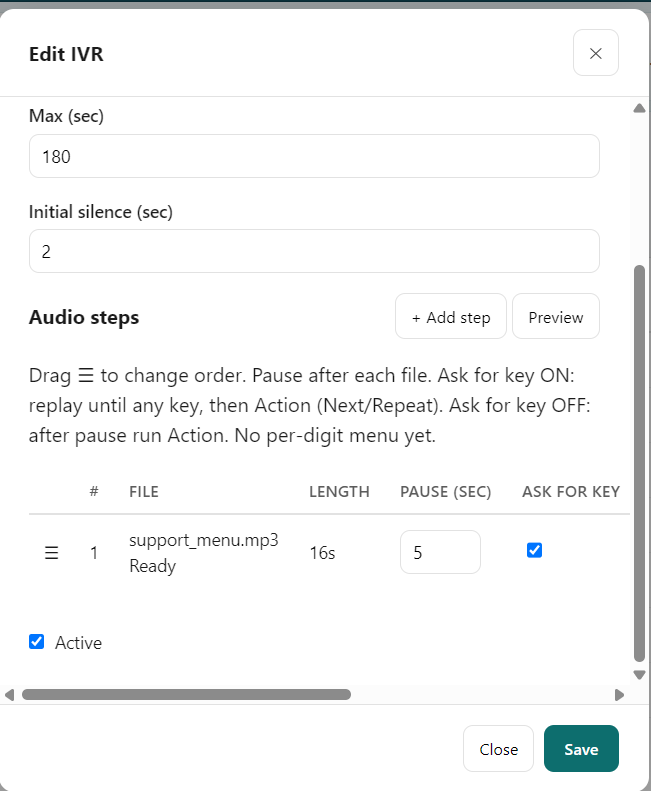
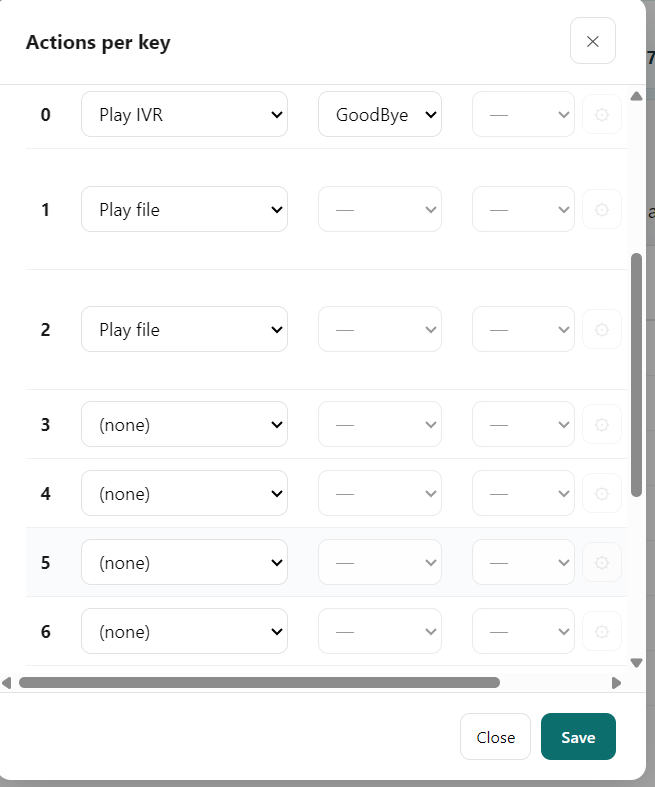
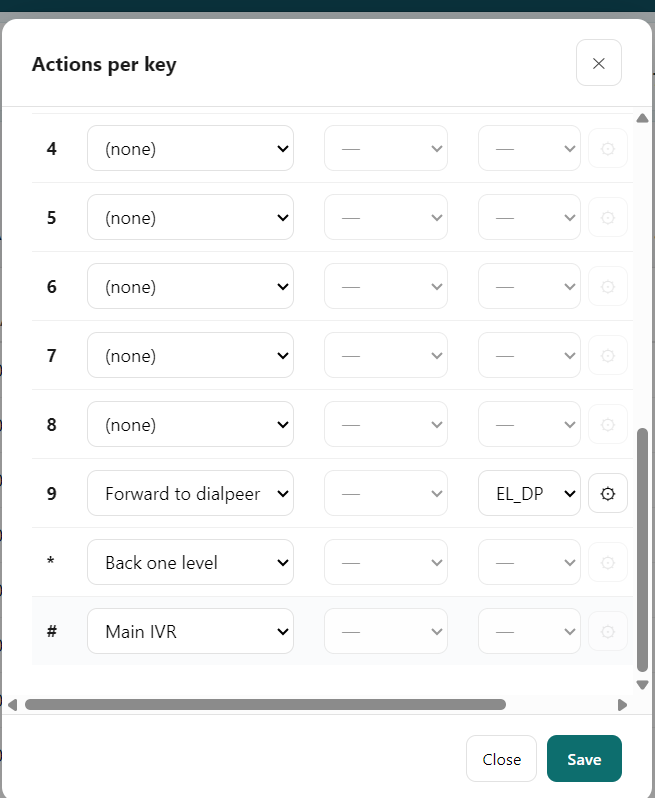
Callers dial the mobile number on the handset. With the phone set to forward incoming GSM to the server, VMGateServer runs your IVR or forwards the call toward the switch you choose. Configure trunks, routing, dialpeers, and IVR profiles in the tenant portal — separate from outbound catalogs. Preview walks the menu without a live call.
- Same fleets — outbound and inbound on VMGateClient
- Portal IVR — prompts, digit actions, multi-level menus
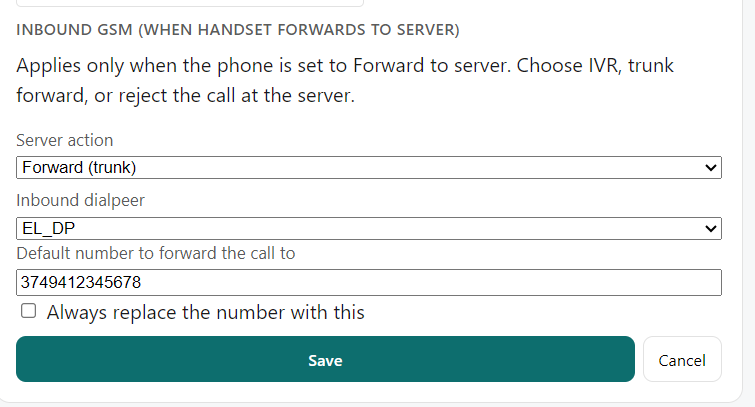
- Forward to Customer switch — with ring hold and comfort audio when you need it
- Call-center ready — menus and connect paths on real GSM numbers
- Safe default — Reject until you configure portal routing
Two layers: on the handset set Incoming GSM calls → Forward to server; in the portal set each SIM slot to IVR, Forward, or Reject (default Reject). Full guide: in-portal manual, chapter Inbound GSM & IVR.
Prefer a full voice agent? Ask us for AI agents configuration — separate product.
In the tenant portal
Now live
SMS outbound is live
Something big just landed on VMGate Cloud. Send SMS through the same VMGateClient fleets you already run. Manage Connections, rates, routing, and history in the tenant portal. Connect your switch with an SMS connection (SMPP) when your plan includes SMS. Choose Voice or Voice + SMS on Subscription — prices match the portal catalog.
Voice was the foundation. SMS outbound is here. And more to come.
- SMS outbound on your existing fleets
- Portal SMS workspace built for operators
- SMPP SMS connection for your switch
- Voice + SMS on Cloud plans
Content rewrite
Content rewrite is included with SMS. On each SMS Routing Rule you can rewrite the message before it goes to the handset: Prefix and Signature (if you use them), Find/Replace for wording, or Replace all. Configure it in the portal under SMS → Routing Rules → Content rewrite. Details: in-portal manual, chapter SMS (Content rewrite).
Who VMGate Cloud is for
VMGate Cloud is built for tenants — operators who run a fleet of phones, manage downstream customers and resellers, and need centralized routing, billing, and operations — not for a single DIY handset registered to your own Asterisk box (see VMGate Classic). It also opens a path for call centers that need inbound GSM menus and connect-to-switch on real mobile numbers.
How VMGate Cloud works
VMGateServer sits on the boundary between the public Internet (customer SIP, SMS, and inbound forward paths) and your isolated VMGate network (handset control links). Each field phone runs VMGateClient. Voice uses the SIM plus a USB audio dongle; SMS outbound uses the SIM path and does not require the dongle; Inbound GSM & IVR uses Forward to server on the handset.
Call & SMS flow (summary)
- Outbound SIP arrives at the cloud SIP front-end; SMS arrives via SMPP when your plan includes SMS.
- The orchestrator selects a VMGateClient and instructs it to place the GSM call or send SMS over the VMGate network.
- Inbound: a mobile caller rings the SIM; with Forward to server, VMGateServer runs portal IVR or forwards to Customer SIP.
- Voice audio flows through the USB audio dongle; SMS uses the SIM path without a dongle.
- Handsets are provisioned from the tenant portal; dongle firmware via Dongle management when you run voice.
What you manage in the portal
Tenant portal (screenshots)
Operate VMGate Cloud from the browser — dashboard, handset fleet, onboarding, networks, and routing. Jump: Dashboard · VMGateClients · Map · Onboarding · Networks · Routing. Open tenant portal
English UI shown; portal available in seven languages. Sensitive IPs, numbers, codes, and locations redacted on these marketing captures.
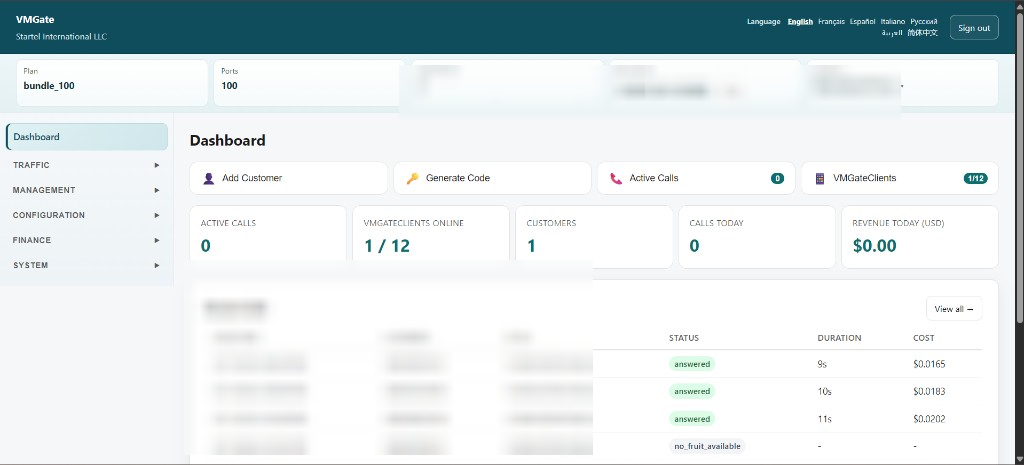
Dashboard
Plan capacity, live calls, quick actions, and recent call activity at a glance.
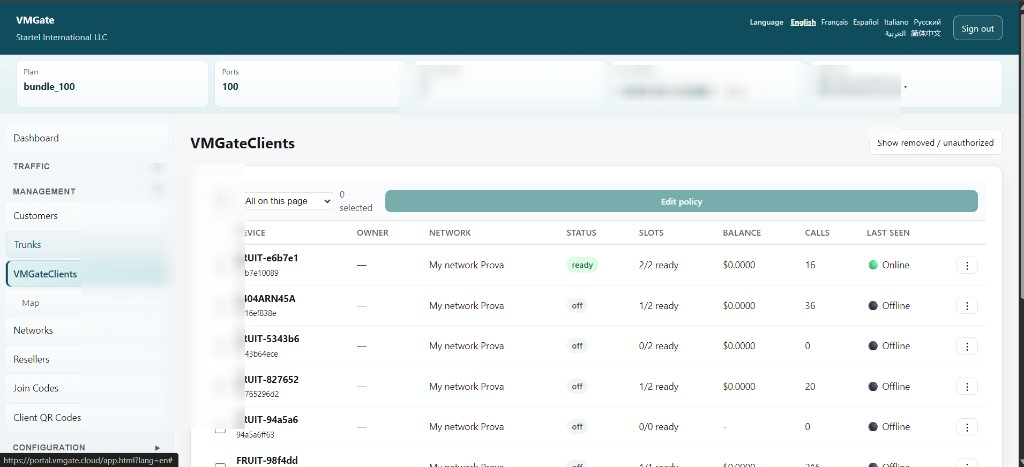
VMGateClients
Fleet view — online/offline, SIM slots ready, and per-device status.
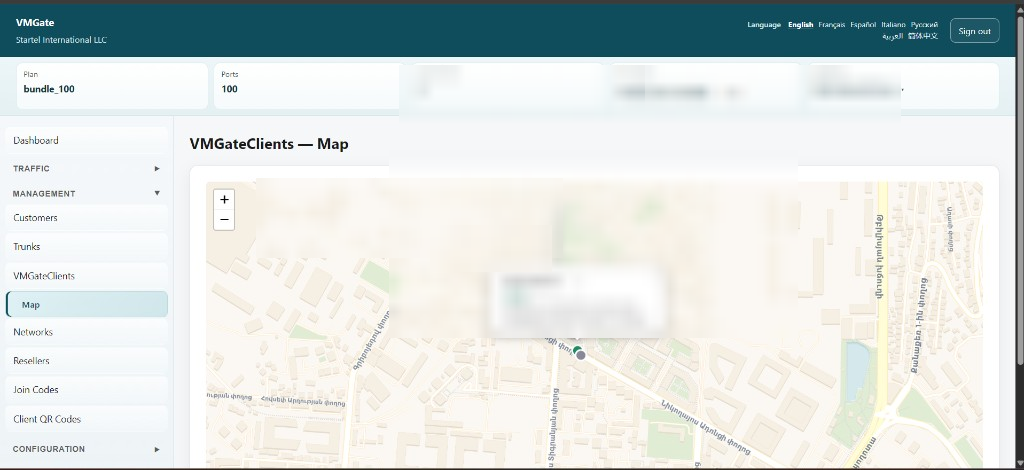
Map
Geographic view of deployed handsets (location redacted on this capture).
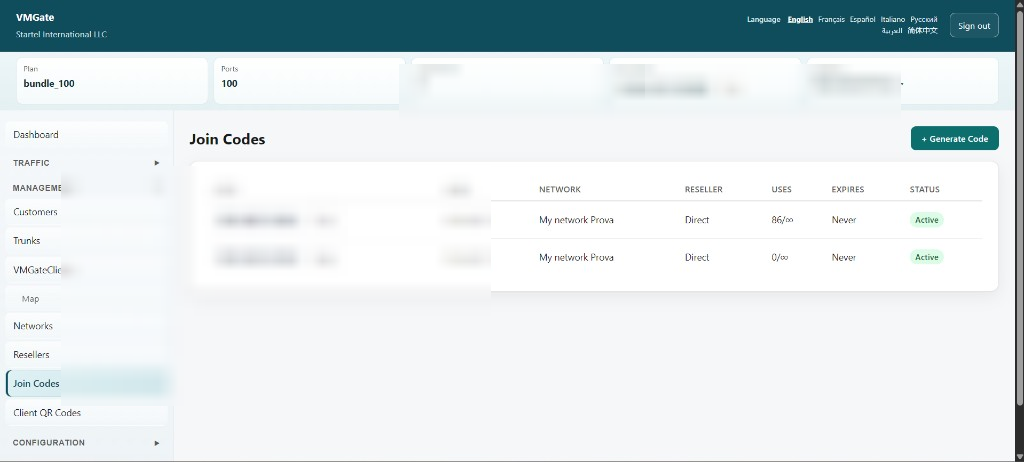
Join codes
Generate codes to onboard handsets onto the correct VMGate network.
Client QR codes
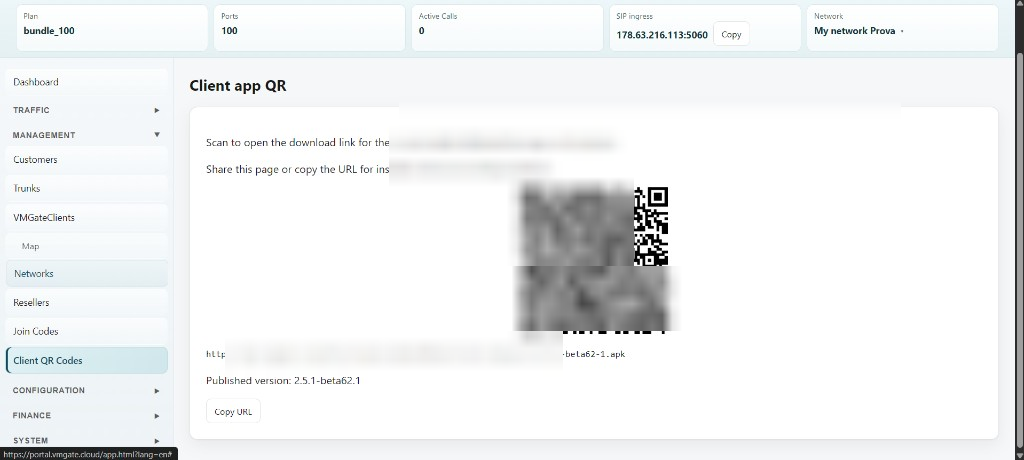
Stable VMGateClient APK download for installers enrolling hardware.
Networks
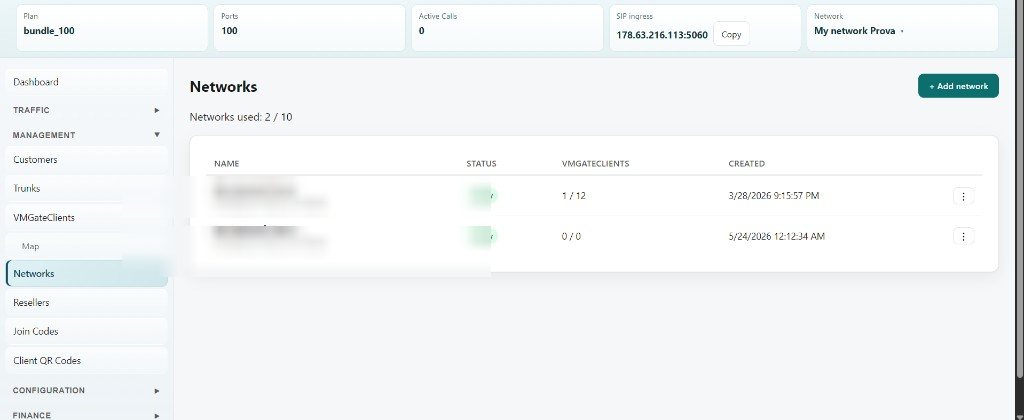
Multiple VMGate networks per tenant — each with its own SIP ingress and handset pool.
Dialpeers
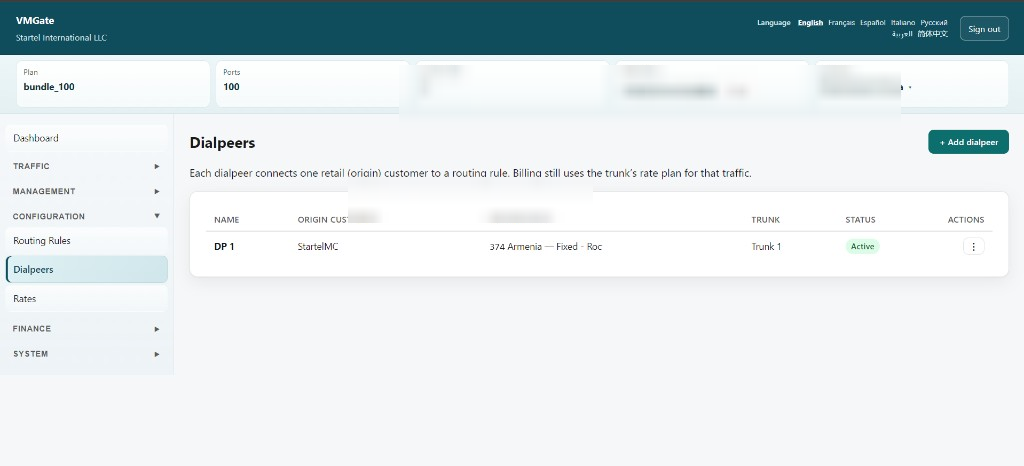
Connect each retail customer to a routing rule and trunk rate plan.
VMGateClient app (screenshots)
Representative handset captures — multi-profile app connected to VMGate Cloud. Jump: Main · Profiles · Settings & OTA · IVR · Dongle · Earnings. Phone minimum requirements (no root): VMGateClient features (Cloud).
VMGateClient on your phones
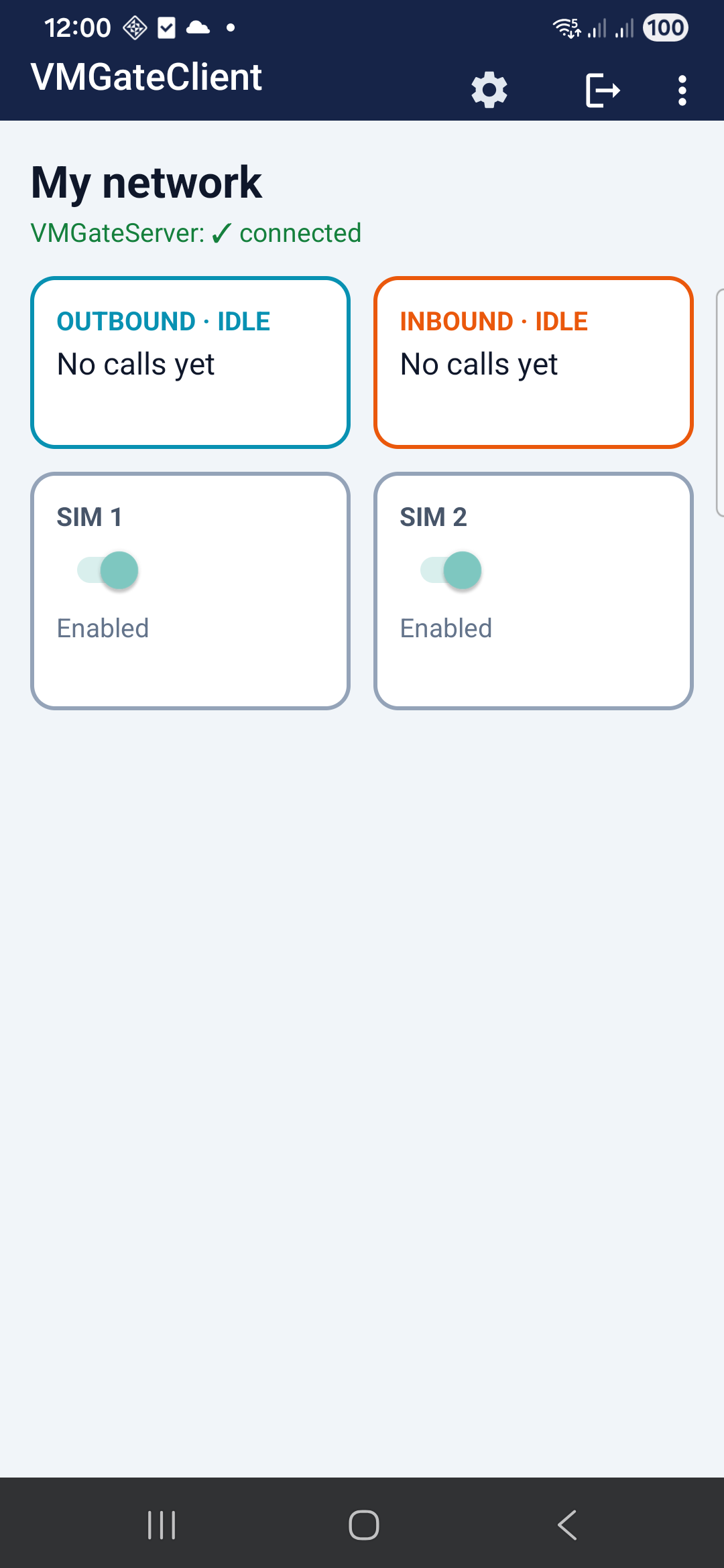
Each handset runs VMGateClient — multi-profile, live voice status, and per-SIM control. SMS outbound uses the SIM path and does not require the USB audio dongle (dongle is for voice/GSM audio). Real bench captures; not mockups.
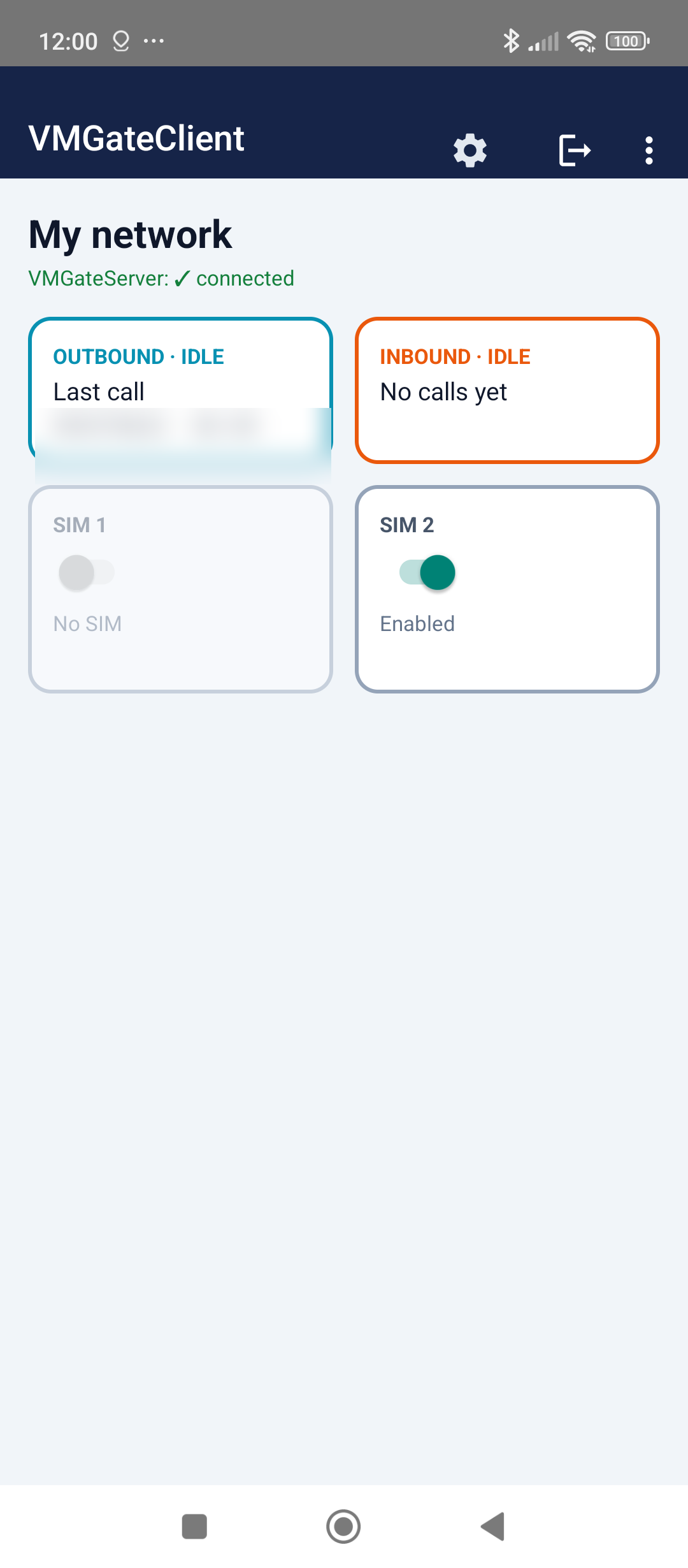
Multiple profiles on one phone
VMGateClient is multi-profile: each profile is a saved VMGate network connection (tenant network, credentials, and policy). Add profiles from the app, switch which one is Active, and return to the main screen — no reinstall when you move a handset between networks or keep a staging profile alongside production.
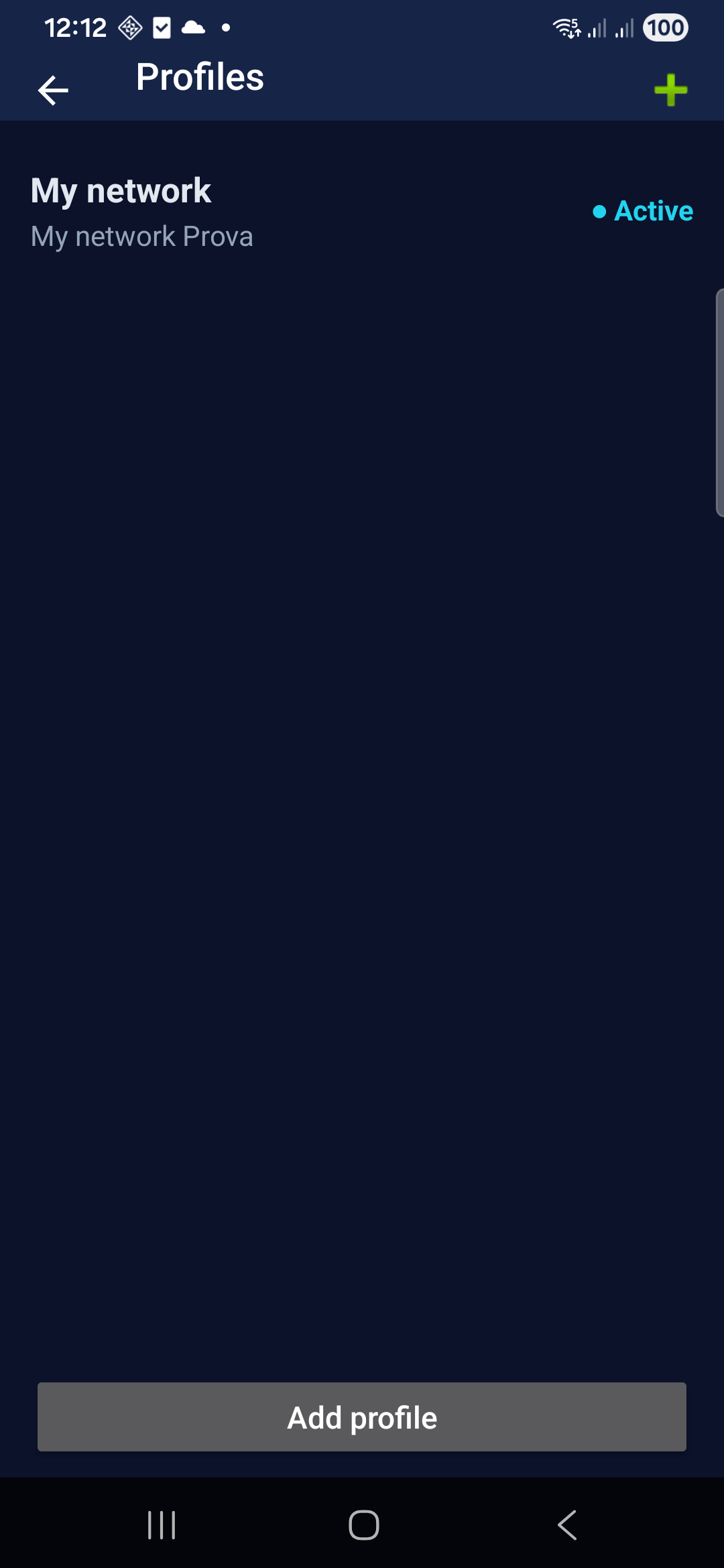
App language & over-the-air updates
VMGateClient is multi-profile and multilingual: app language is independent from the phone OS. Built-in Check for updates delivers OTA app and VMGate Audio helper builds without reinstalling from the portal.
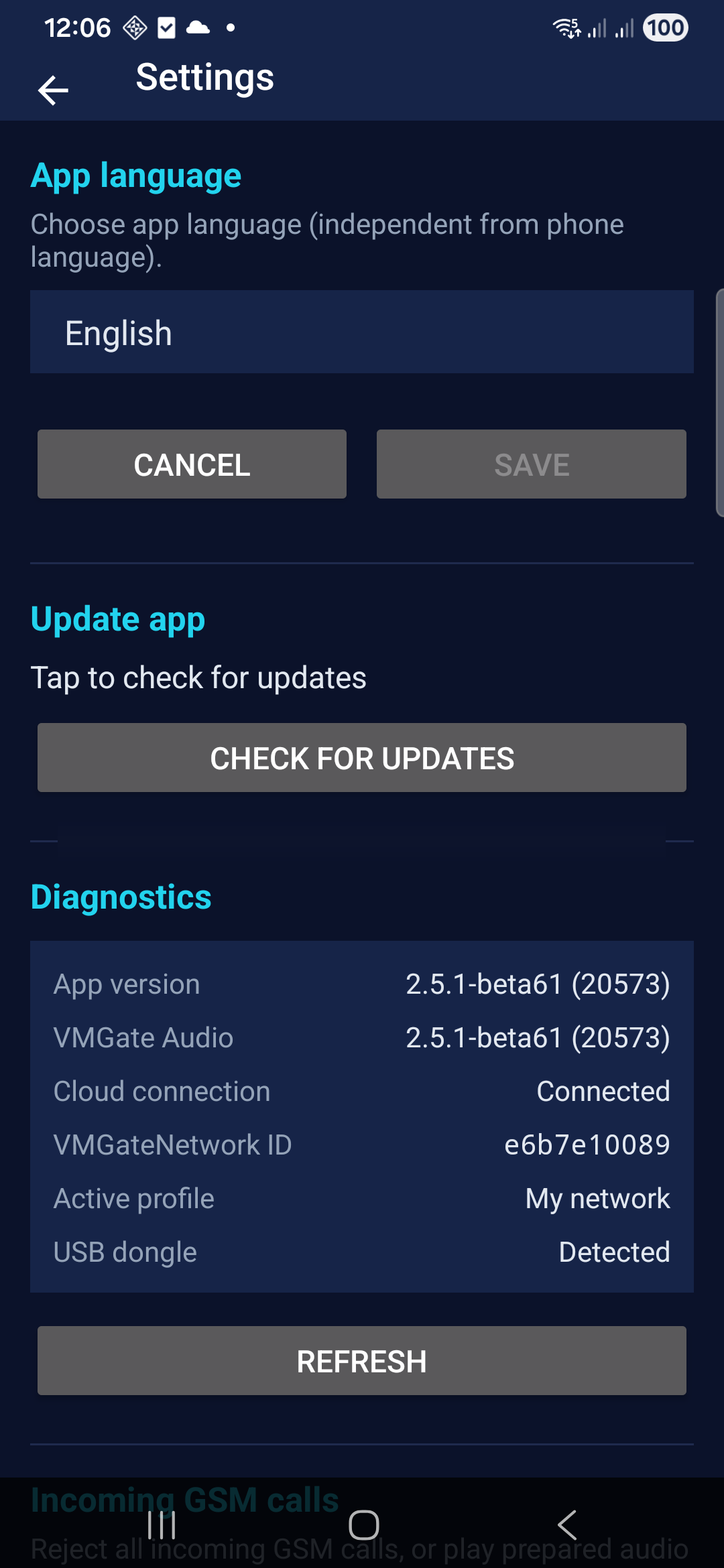
Seven app languages
English, French, Spanish, Italian, Arabic, Russian, and Simplified Chinese — same set as the tenant portal.
OTA in the app
Tap Check for updates to pull VMGateClient and VMGate Audio builds when Startel publishes them.
Field diagnostics
Connection state, active network profile, and USB dongle detection — before you escalate to support.
Screenshots from representative handsets; sensitive IDs redacted where noted.
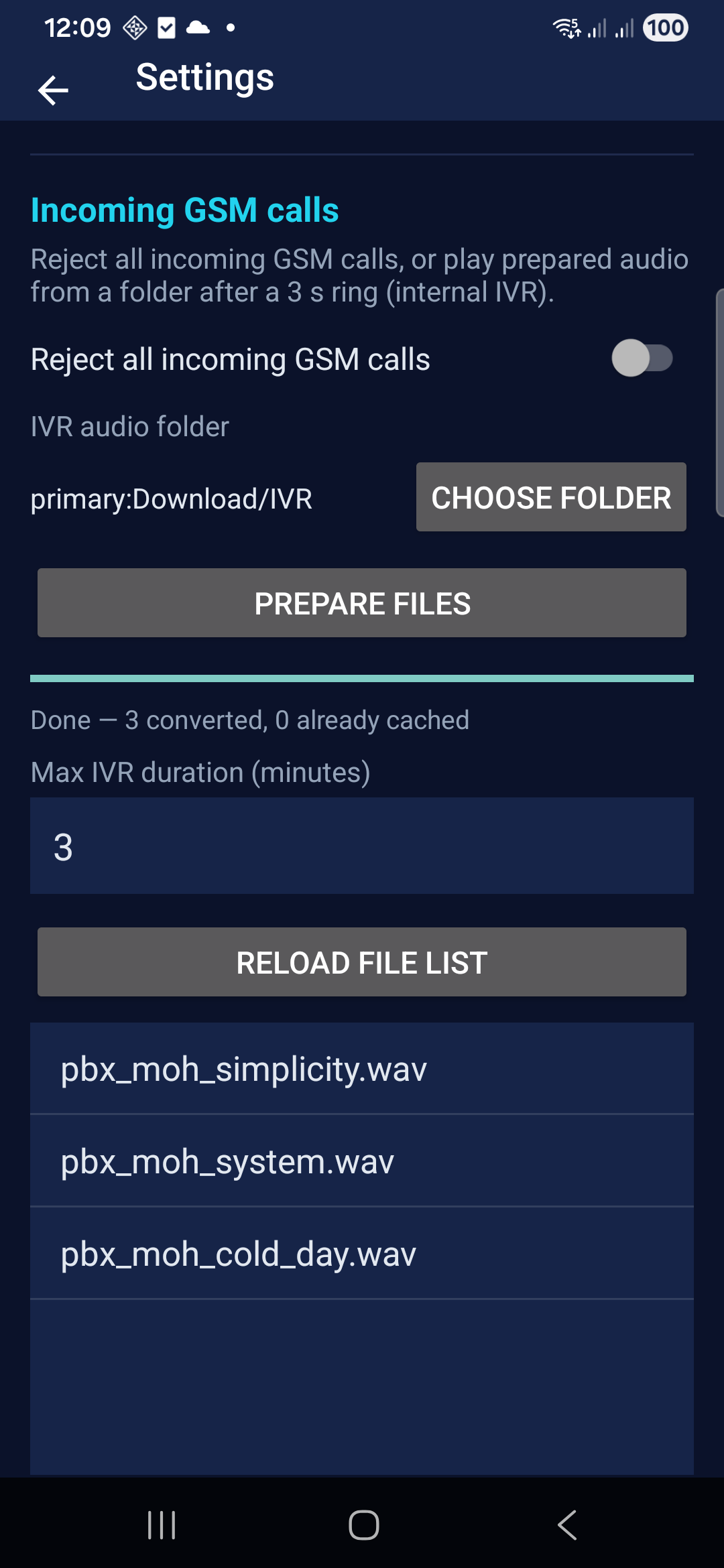
Internal IVR for inbound GSM
In Settings, configure Incoming GSM calls — reject all inbound GSM, play prepared audio from a folder after a short ring (on-device IVR), or Forward to server so portal Inbound GSM & IVR can run menus and forward to Customer SIP.
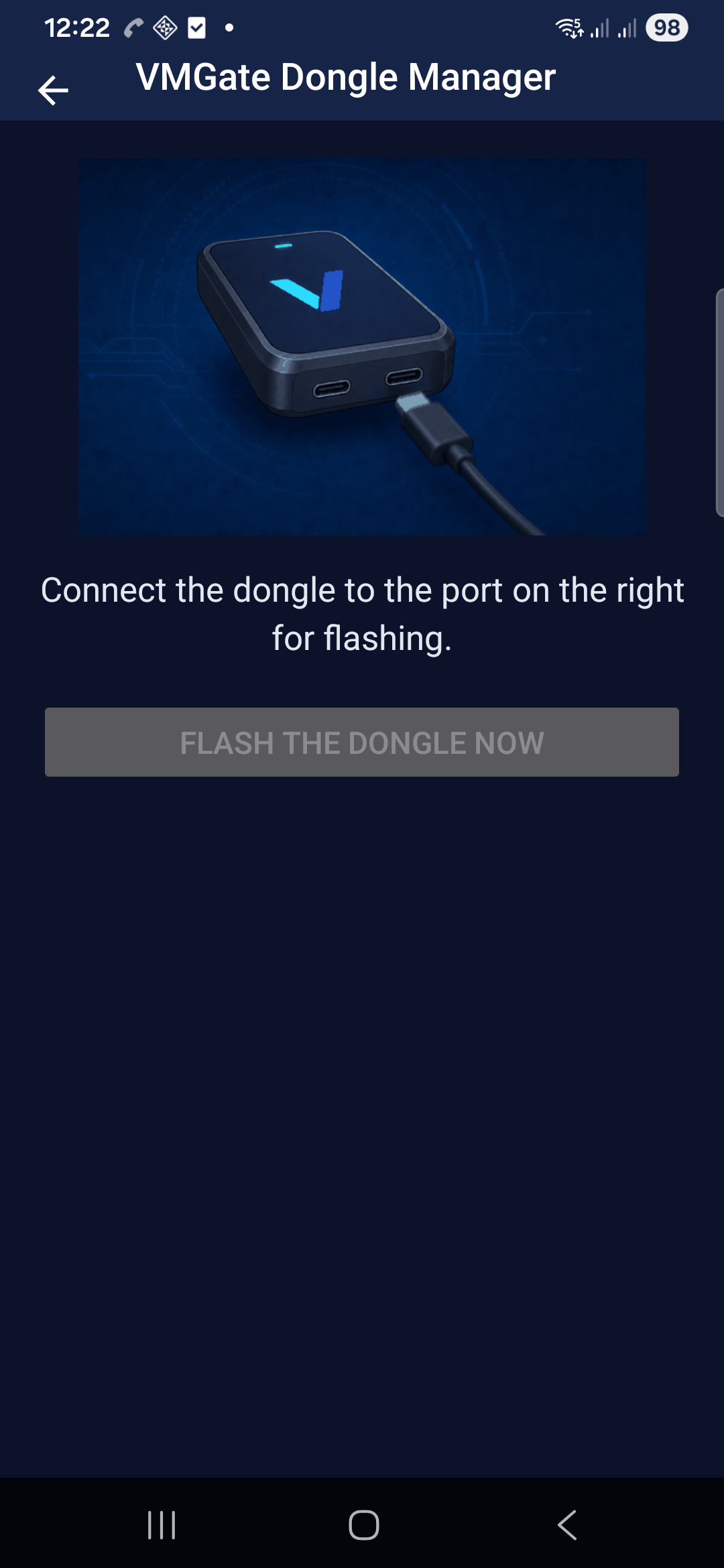
VMGate Dongle Manager
VMGateClient includes Dongle management — flash and maintain the VMGate USB audio dongle from the handset. The app walks operators through port selection (flash vs operational), runs the firmware update on the phone, and confirms when the board is ready to move to the left port for GSM audio.
Per-profile earnings in the app
Each VMGateClient profile includes an Earnings panel — earned, to be paid, and paid totals by range (today, week, month, year). Figures are authored on VMGateServer; the app shows read-only snapshots per active profile.
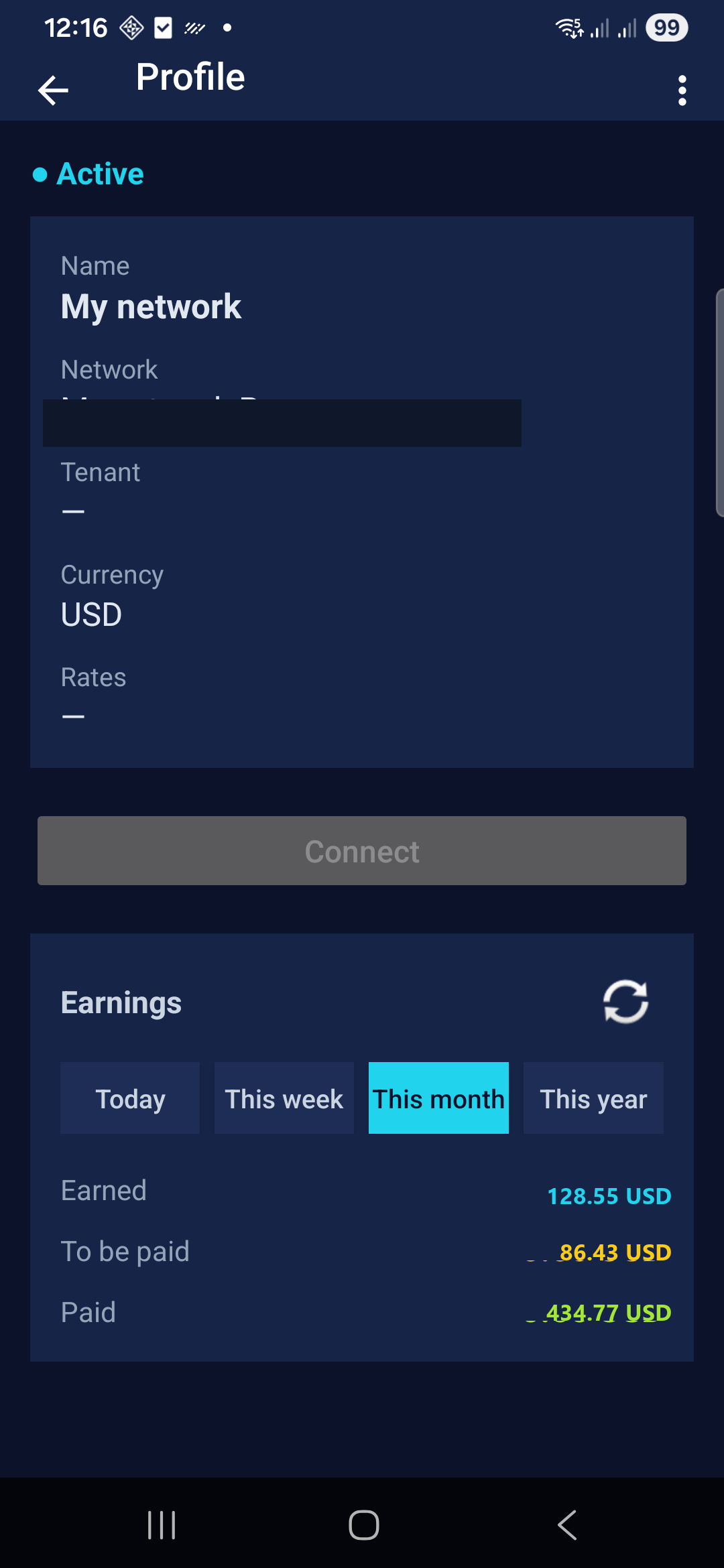
Screenshot uses representative USD amounts for layout; your devices show live totals from VMGateServer after the App syncs.
Start on the free tier
Create a free account — not a time-limited trial. When you need more concurrent capacity, paid plans start from $200/month (Voice) or choose Voice + SMS. Details on Plans and in the portal. Inbound GSM & IVR and SMS outbound are live.
The tenant portal is available in English, French, Spanish, Italian, Arabic, Russian, and Simplified Chinese. This website is in English.